
Appearance
AI Agents
An AI agent can answer questions on supported customer channels using instructions and the knowledge you link to it. Workspace administrators create and configure agents. To use an agent for customer replies, your workspace needs an available AI model and an explicit conversation assignment.
Create and test an agent
- Open AI Agents → Agents → Create an agent.
- Describe your business, what the agent should do, and when a person should take over. For example, ask the agent to answer opening-hours questions and hand order complaints to your team.
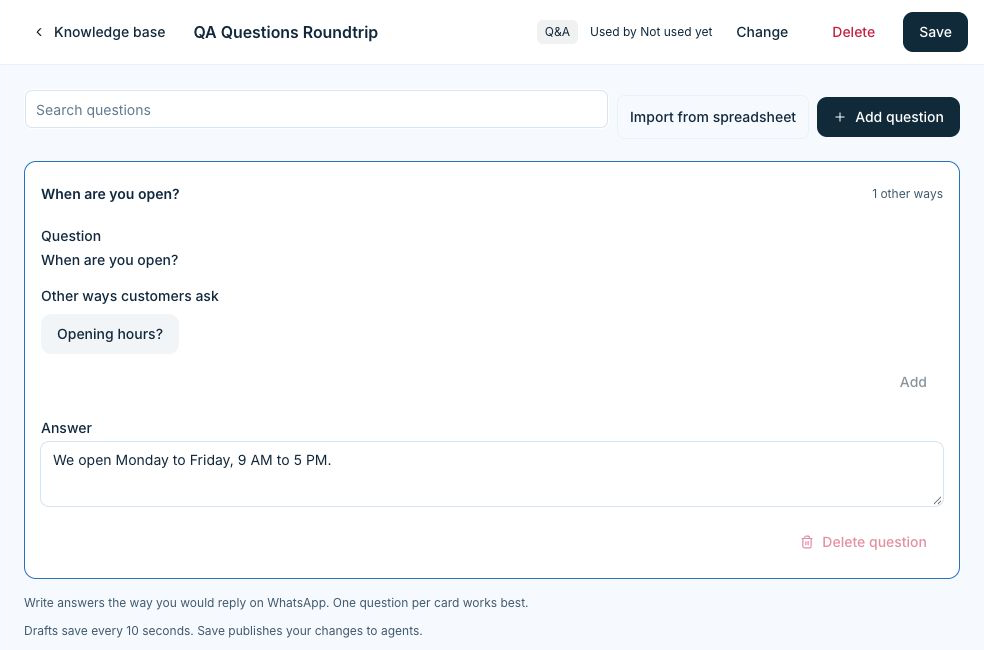
- Open Knowledge base and add your source material. You can use text, questions and answers, supported documents, or public webpages.
- Open the agent and link the sources it should use. Wait until the sources are ready.
- Open Test chat. Try a routine question, a question with no source, and a request to speak to a person. Check the reply and the supporting information before enabling the agent. Tests can use workspace AI allowance.
Assign conversations to the agent
- Save the agent and select Enable for Automation.
- In Automation, select your trigger and the channel where the agent should receive chats.
- Add Assign AI agent as the last action on that path and choose the agent.
- Test and publish the workflow. Then send a message through the selected channel from a separate test account to verify it.
Open AI Agents → AI assignments to see published automation assignments by channel. A teammate can also explicitly hand an eligible conversation to an available AI agent from the conversation.
Set up human handoff
Open the agent and set the situations that require a person. Under Handoff by channel, review the default destination and any ordered rules for that channel. Choose a specific teammate when appropriate or let the handoff follow the channel’s assignment settings.
Test at least one handoff scenario and confirm that the intended team or teammate can take over the conversation.